Expert MacBook Repair Near me Available Near You 24/7 Service Support

Finding reliable MacBook repair near me can be a challenge when your device suddenly stops working. Whether your MacBook won’t turn on, has a cracked screen, or suffers from battery issues, quick and expert repair is essential to get back to work or leisure without long delays. This post guides you through everything you need to know about finding expert MacBook repair services near you, what to expect, and how to ensure your device is in safe hands.

Why You Should Choose Local MacBook Repair Services
When searching for MacBook repair near me, local repair shops offer several advantages:
Faster turnaround times: Local shops can often diagnose and fix issues the same day or within 24 hours.
Personalized service: You can speak directly with technicians who understand your specific problem.
Convenience: No need to ship your MacBook or wait for mail-in repairs.
Cost-effective options: Local shops may offer competitive pricing compared to official Apple service centers.
For example, if your MacBook’s keyboard stops responding, a local repair shop can quickly replace the faulty keys or keyboard assembly without the wait times typical of mail-in repairs.
Common MacBook Issues and How Repair Shops Handle Them
Understanding common MacBook problems helps you communicate clearly with repair technicians and know what to expect:
Screen damage: Cracked or unresponsive screens are common. Repair shops replace the display assembly or glass with genuine or high-quality parts.
Battery problems: If your MacBook won’t hold a charge or shuts down unexpectedly, technicians test and replace the battery safely.
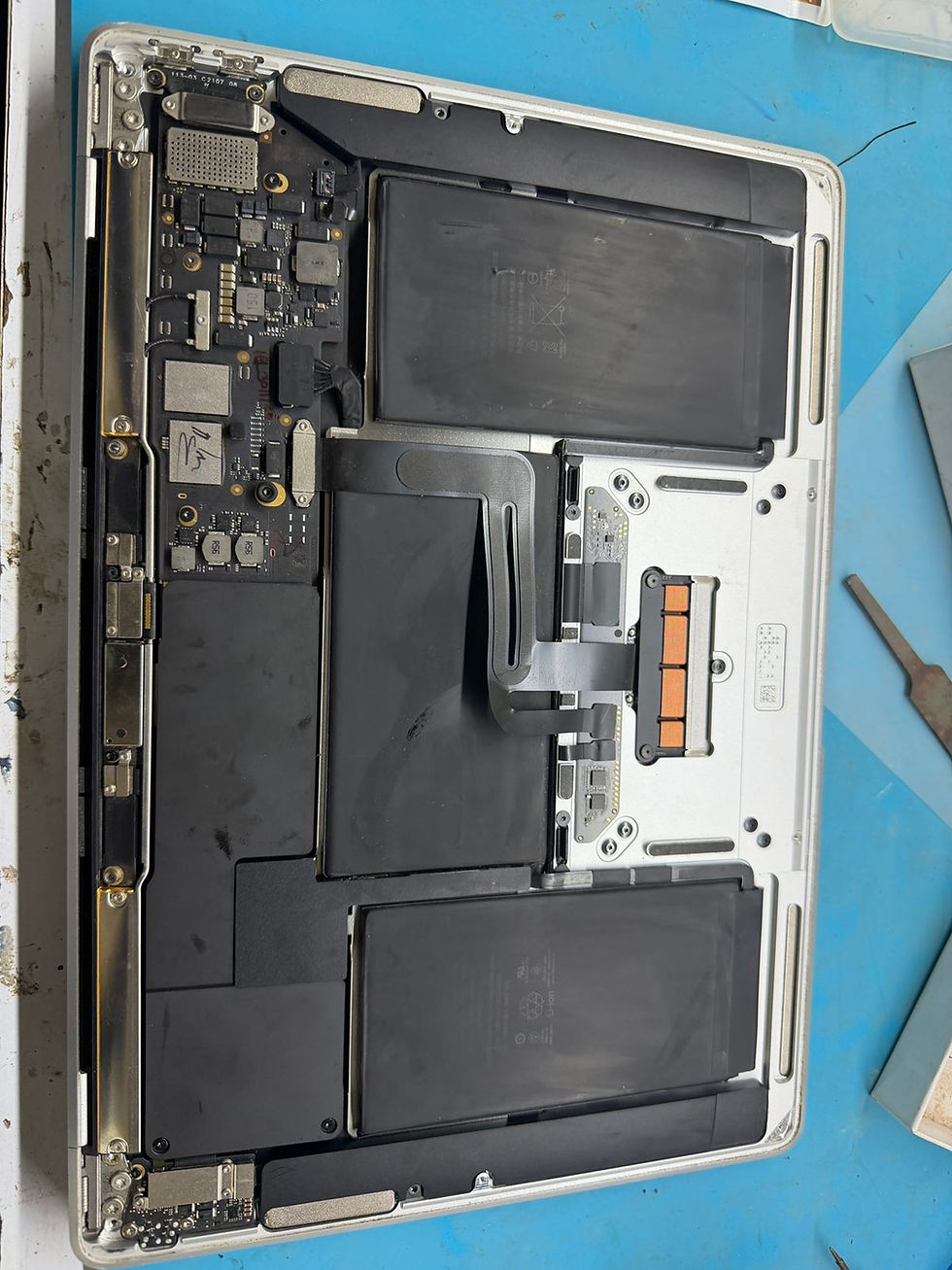
Logic board failures: These complex repairs require skilled technicians who can diagnose motherboard issues and replace components if needed.
Keyboard and trackpad issues: Sticky or unresponsive keys and trackpads are fixed by cleaning, replacing parts, or full keyboard swaps.
Software troubleshooting: Repair shops also assist with macOS reinstallations, virus removal, and data recovery.
A local repair expert can often diagnose these issues within minutes and provide a clear estimate before starting work.
How to Find the Best MacBook Repair Near Me
Here are practical tips to find a trustworthy repair service near you:
Check reviews and ratings: Look for shops with consistently positive feedback on Google, Yelp, or local forums.
Verify certifications: Some technicians hold Apple Certified Mac Technician (ACMT) credentials, which indicate advanced training.
Ask about parts and warranties: Confirm if the shop uses genuine or high-quality replacement parts and offers warranties on repairs.
Compare pricing: Get quotes from multiple shops to ensure fair pricing without sacrificing quality.
Look for 24/7 support: Some shops offer round-the-clock service, which is helpful if you need urgent repairs.
For example, a shop with ACMT-certified technicians and a 90-day warranty on parts and labor provides peace of mind that your MacBook is in expert hands.
What to Expect During Your MacBook Repair Visit
When you bring your MacBook to a repair shop, the process usually follows these steps:
Initial assessment: The technician inspects your MacBook and discusses the symptoms.
Diagnostic testing: They run tests to pinpoint hardware or software issues.
Repair estimate: You receive a clear quote including parts, labor, and turnaround time.
Repair work: Once approved, the technician performs the repair using proper tools and parts.
Quality check: The MacBook is tested to ensure the issue is resolved.
Pickup or delivery: You collect your device or arrange for delivery if available.
Many shops also offer data backup services before repair to protect your files.
Tips to Maintain Your MacBook and Avoid Frequent Repairs
Preventive care can extend your MacBook’s lifespan and reduce repair needs:
Use a protective case or sleeve to prevent physical damage.
Keep your MacBook clean by wiping the keyboard and screen regularly.
Avoid eating or drinking near your device to prevent spills.
Update macOS and software to fix bugs and improve performance.
Monitor battery health and avoid extreme temperatures.
Back up data regularly to avoid loss during unexpected failures.
Following these tips helps you avoid common issues like screen cracks, battery degradation, and software corruption.
Why 24/7 MacBook Repair Support Matters
Technology problems can happen anytime, especially if you rely on your MacBook for work or study. Having access to MacBook repair near me with 24/7 support means:
Immediate help during emergencies such as sudden shutdowns or hardware failures.
Flexible scheduling for repairs outside regular business hours.
Reduced downtime so you can get back to your tasks quickly.
Some repair shops offer on-site or remote support to troubleshoot software problems without needing to visit the store.


Comments