Essential Tips for MacBook Repair in Vasant Vihar

Updated: Feb 20
MacBooks are known for their sleek design and reliable performance, but like any electronic device, they can face issues that require repair. If you live in or near Vasant Vihar and need MacBook repair, knowing how to approach the process can save you time, money, and frustration. This guide offers practical advice to help you get the best service for your MacBook repair in Vasant Vihar.

Recognizing When Your MacBook Needs Repair
Not all problems require immediate professional help, but some signs indicate that your MacBook needs expert attention:
Unusual noises such as clicking or grinding from the hard drive area.
Battery drains quickly or does not charge properly.
Screen issues like flickering, dead pixels, or cracks.
Overheating even during light use.
Slow performance despite closing apps and restarting.
Frequent crashes or freezes.
Ports not working or physical damage to connectors.
If you notice any of these symptoms, it is wise to seek professional MacBook repair in Vasant Vihar rather than attempting fixes yourself, which could void warranties or cause further damage.
Choosing the Right Repair Service in Vasant Vihar
Vasant Vihar offers several options for MacBook repair, but selecting the right service is crucial. Here are some tips to help you decide:
Authorized Service Centers: Apple-authorized centers guarantee genuine parts and trained technicians. Repairs here may cost more but ensure quality and warranty protection.
Local Repair Shops: Many local shops provide affordable and quick services. Check reviews and ask about the parts they use to avoid counterfeit components.
Specialized MacBook Repair Experts: Some technicians focus solely on Apple products, offering deep expertise in MacBook models and software.
Before choosing a service, ask about:
Repair warranty duration
Turnaround time
Cost estimates upfront
Availability of genuine Apple parts
Preparing Your MacBook for Repair
Proper preparation can make the repair process smoother and protect your data:
Backup your data using iCloud, Time Machine, or an external drive.
Remove accessories like cases, USB drives, or SD cards.
Note down your Apple ID and password for reactivation if needed.
Document the issue clearly to help the technician diagnose faster.
Check warranty status on Apple’s website to know if you qualify for free or discounted repairs.
Common MacBook Repairs and What to Expect
Understanding typical repairs can help you communicate better with technicians and set realistic expectations.
Battery Replacement
MacBook batteries degrade over time. If your battery lasts less than two hours or swells, replacement is necessary. Genuine battery replacements at authorized centers usually take a few hours to a day.
Screen Repair
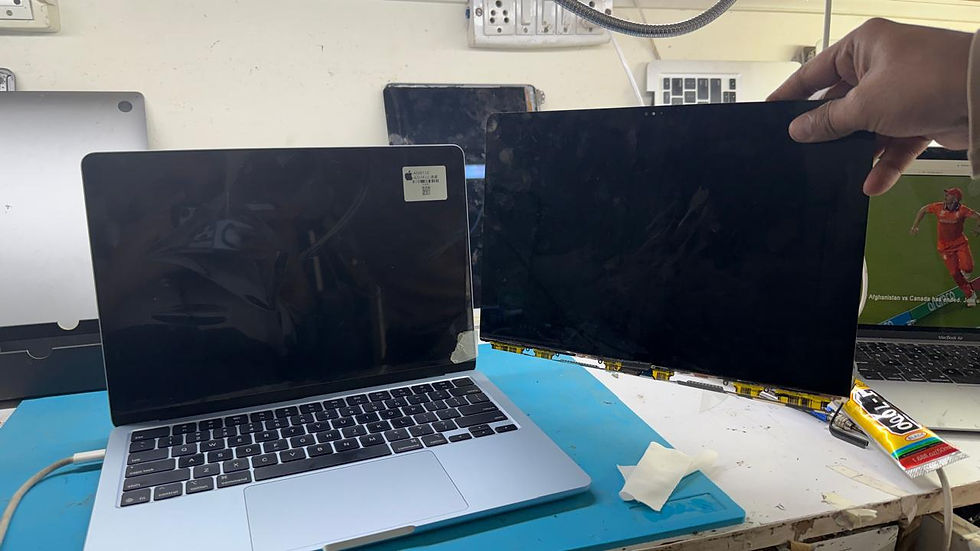
Cracked or malfunctioning screens require careful replacement. Screen repairs can be costly, especially for Retina displays, but local experts in Vasant Vihar often offer competitive pricing.
Keyboard and Trackpad Issues
Sticky keys or unresponsive trackpads are common. Sometimes cleaning or replacing individual keys solves the problem. For extensive damage, the entire keyboard assembly might need replacement.
Logic Board and Hardware Repairs
These repairs are complex and should only be handled by experienced technicians. Symptoms include failure to boot, random shutdowns, or hardware detection errors.
Software Troubleshooting
Not all problems are hardware-related. Slow performance or crashes might be fixed by reinstalling macOS, removing malware, or optimizing settings.
Tips to Avoid Common Repair Pitfalls
Avoid DIY fixes unless you have experience; MacBooks are delicate and require special tools.
Don’t ignore small issues; early repair can prevent costly damage.
Get multiple quotes if possible to compare prices and services.
Keep receipts and warranty documents after repair for future reference.
Ask for a detailed invoice listing parts replaced and labor charges.
How to Maintain Your MacBook After Repair
Once your MacBook is repaired, maintaining it properly can extend its life:
Use a protective case to prevent physical damage.
Keep software updated to avoid bugs and security issues.
Clean the keyboard and screen regularly with appropriate tools.
Avoid exposing the MacBook to extreme temperatures.
Charge the battery properly and avoid letting it drain completely often.
Run diagnostics periodically using Apple’s built-in tools.
Where to Find Reliable MacBook Repair in Vasant Vihar
Vasant Vihar has several trusted repair centers and independent technicians. To find the best option:
Search online for reviews and ratings.
Ask friends or colleagues for recommendations.
Visit the repair shop to check their professionalism and equipment.
Confirm they use genuine parts and offer warranty on repairs.
Choosing a repair service close to your location can save time and make follow-up easier.


Comments